Platform
One foundation.Every way you work.
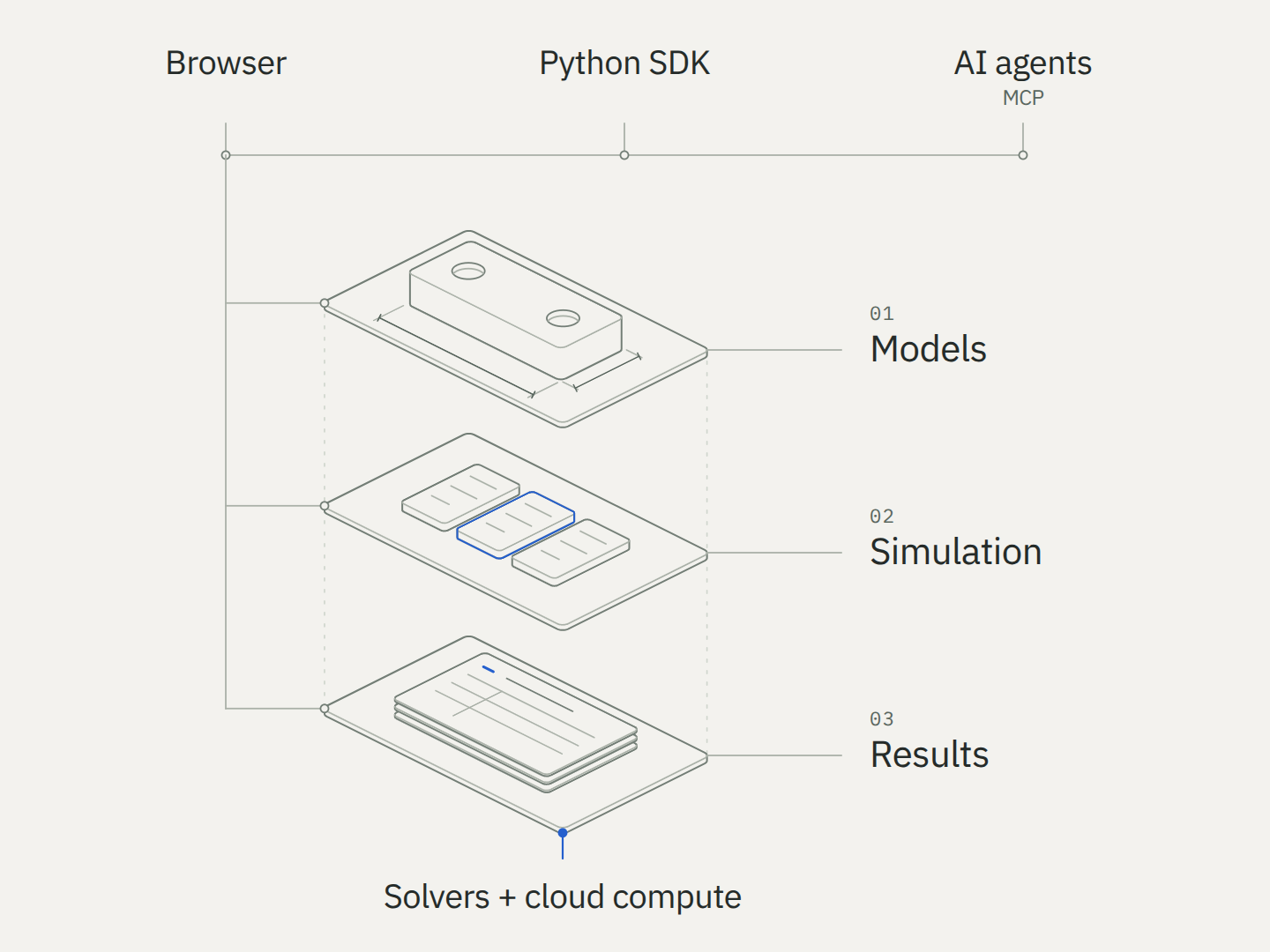
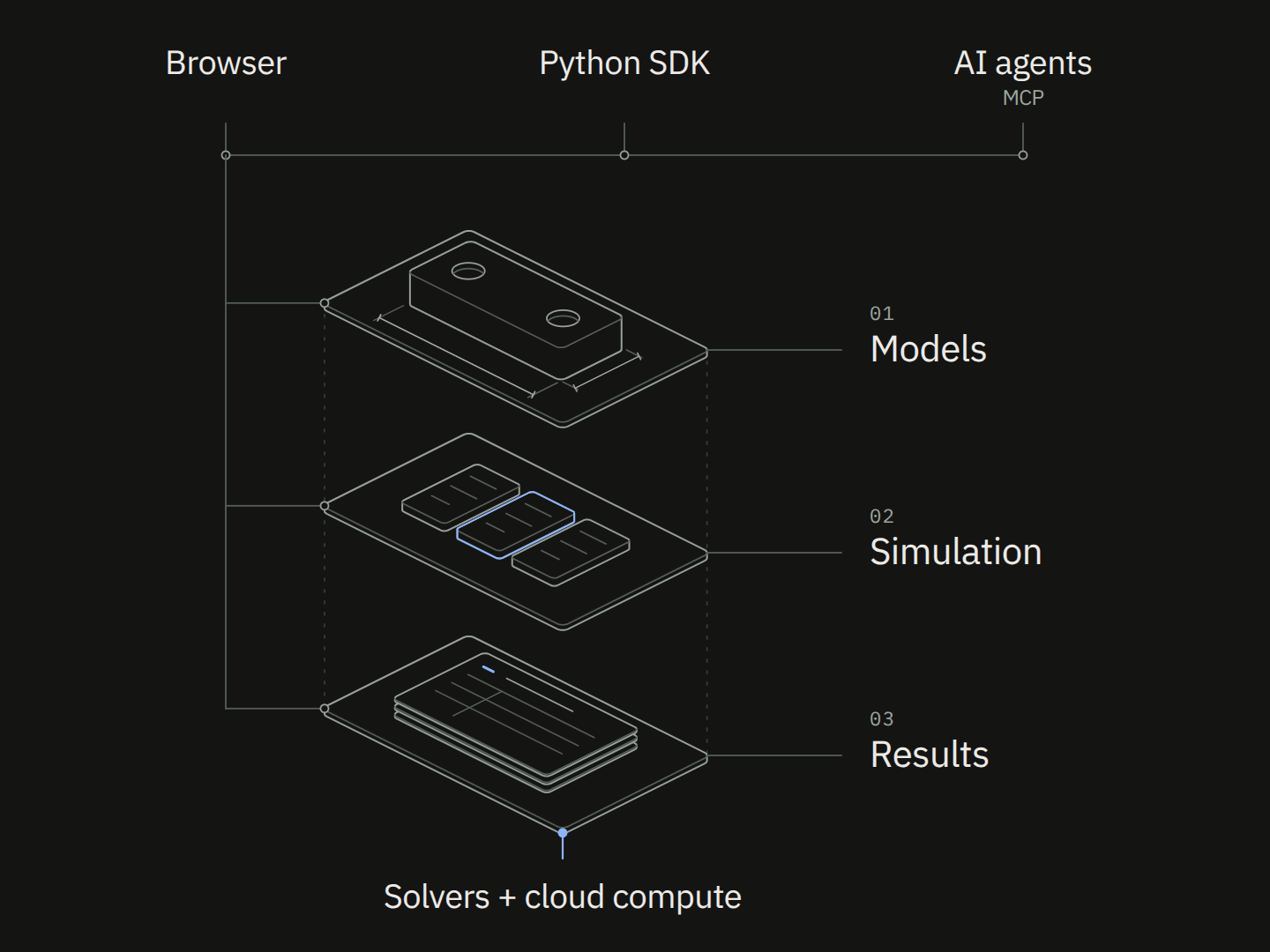
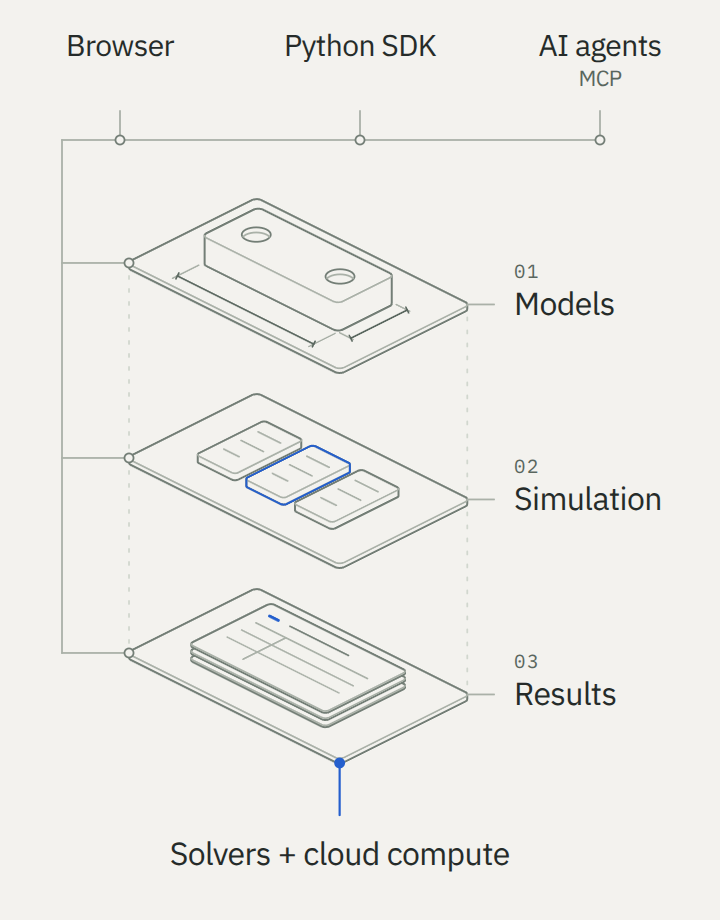
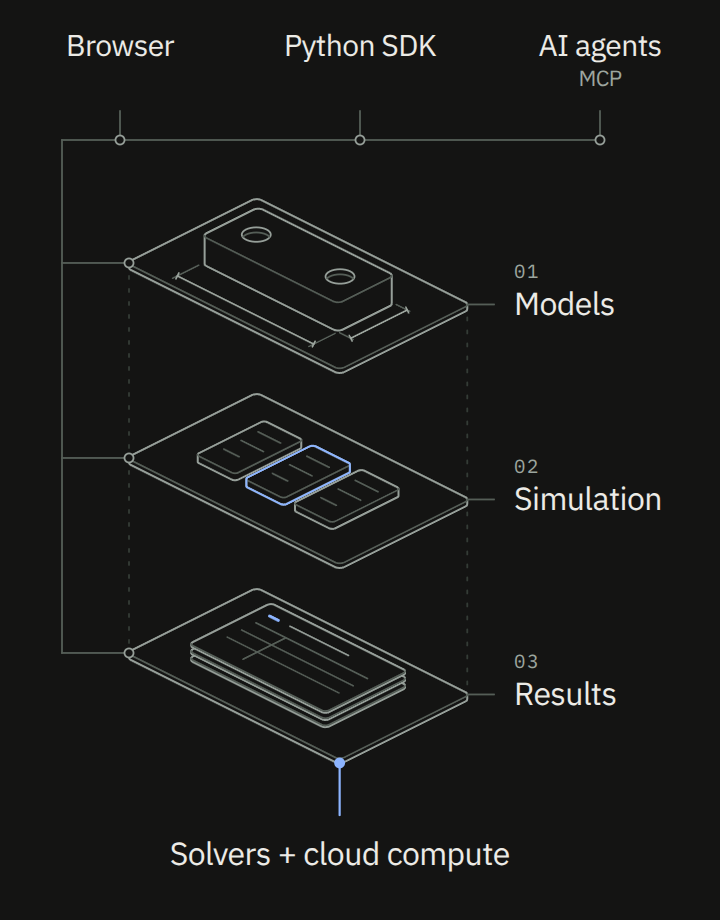
Bring your models, engineering context and simulation results into one workspace. Work visually, write Python, or connect an AI agent through MCP.
Connected engineering
Keep the context.
Build on the result.
A model is more than geometry. It holds the conditions, choices and evidence behind an engineering decision.
- Engineering data
- Geometry, materials, units, model revisions and Study settings.
- Intelligence in context
- Python and AI agents inspect the model, review changes and work with saved results.
- Physics and execution
- Prepare a case, run on cloud workers, and bring the evidence back to the workspace.
Three ways in
The same engineering.
In your own workflow.
Move between visual work, repeatable scripts and agent-assisted tasks with a shared model and its evidence.
Browser
Build and inspect models. Set up Studies. See the physics in motion.
Explore the workspacePython SDK
Construct and revise models, run simulations, and bring saved evidence into your code.
Start with PythonMCP for agents
Give your agent project context and explicit tools for modeling, execution and analysis.
Connect an agentA connected workflow
From case to result.
- 01
Define the model
Bring geometry, materials and boundary conditions together in a Study.
- 02
Run the physics
Capture the model inputs. A cloud worker solves the case and saves the result.
- 03
Compare the results
Six steering inputs, shown as lateral displacement over time.
Run FRuns A–E
Cloud runs
Close the tab.
The run carries on.
Submit a case and follow its progress. Your logs and results stay with the run.
- 23:35:51.544Chrono job started
- 23:35:51.554Chrono input validated
- 23:35:51.554Chrono compile finished
- 23:35:51.554Chrono runtime started
- 23:35:51.560attached Chrono collision proxies
- 23:36:04.199Chrono runtime finished
- 23:36:04.207Chrono batch completed.
- Simulated time
- 10.809 s
- Elapsed time
- 12.66 s
Results
See what the model does.
Inspect motion, stress and flow in the workspace. Access saved datasets, fields and samples through Python or MCP.
Follow the motion alongside speed and displacement.
Inspect the stress field and the shell mesh beneath it.
Trace the flow through the rotor and casing.
Studies
Compare variants.
Change an input, run a study, and compare motion, flow or structural results against a baseline.
Our direction
Engineering that learns
from every iteration.
We’re building toward a continuous engineering record: models, assumptions, simulation results, test data and decisions, connected across the life of a product.
A foundation where each new design starts with what you already know—and where data, AI and physics help you discover what comes next.
The thinking behind nsimFiles
Bring your geometry.
- STEP, IGES
- Multibody, flow, structural
- STL
- Multibody, flow
- OBJ, GLB
- Multibody
- File size
- Up to 2 GB per file
Solvers
Know what’s solving.
- Multibody
- Project Chrono 10
- Flow
- OpenFOAM v2606
- Structural
- code_aster 18.1
- Particle
- In-house solver
Questions
A few practical details.
How do I connect Python or an AI agent?
Request access to receive the Python wheel or MCP adapter setup. Create a project-scoped API token in nsim, then follow the developer guides to connect and inspect your first model.
Do I need to install anything?
The browser workspace needs no installation. Python uses the nsim SDK, and MCP connects through a local adapter. Solvers run on remote workers.
Can I use motion results as structural loads?
Yes. Transfer a multibody run’s joint reactions at one saved instant into a structural case as loads. This is a one-way transfer.
Does every physics support studies?
Studies cover multibody, flow and structural cases. Particle cases run individually.
More questions? hello@nsim.app